

All the horsepower of AI. Finally harnessed.
Claude, Gemini and Codex are the engines. DevAgentForce is the harness. Not vibe coding. Real engineering. Take the wheel and steer every agent — or let it drive and get verified pull requests. Every repo remembers. Every secret, sealed. All that force, on your hardware — or one VM on AWS, GCP or Azure.
Install guide, native scripts, FAQ and fixes — read the documentation
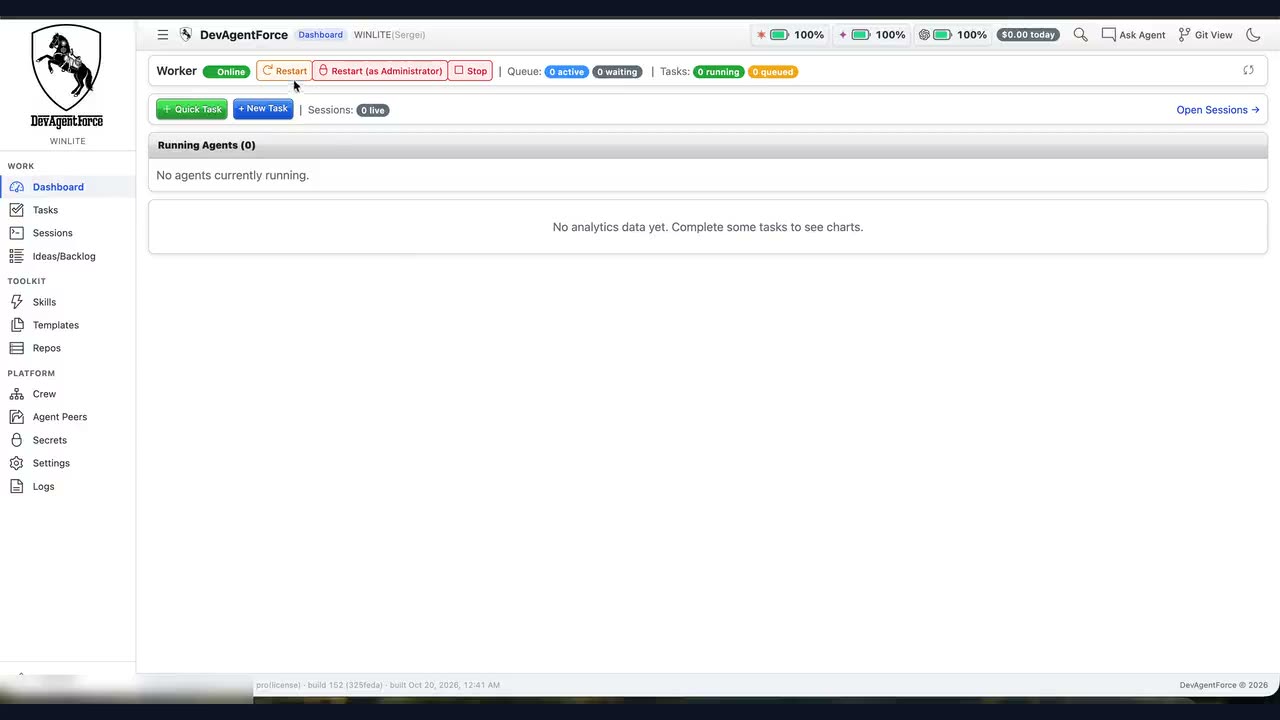
A whole fleet of agents. One control room.
Not another chat window. Run Claude, Gemini and Codex side by side. Watch every transcript. Steer with a sentence. Review pull requests that already pass.
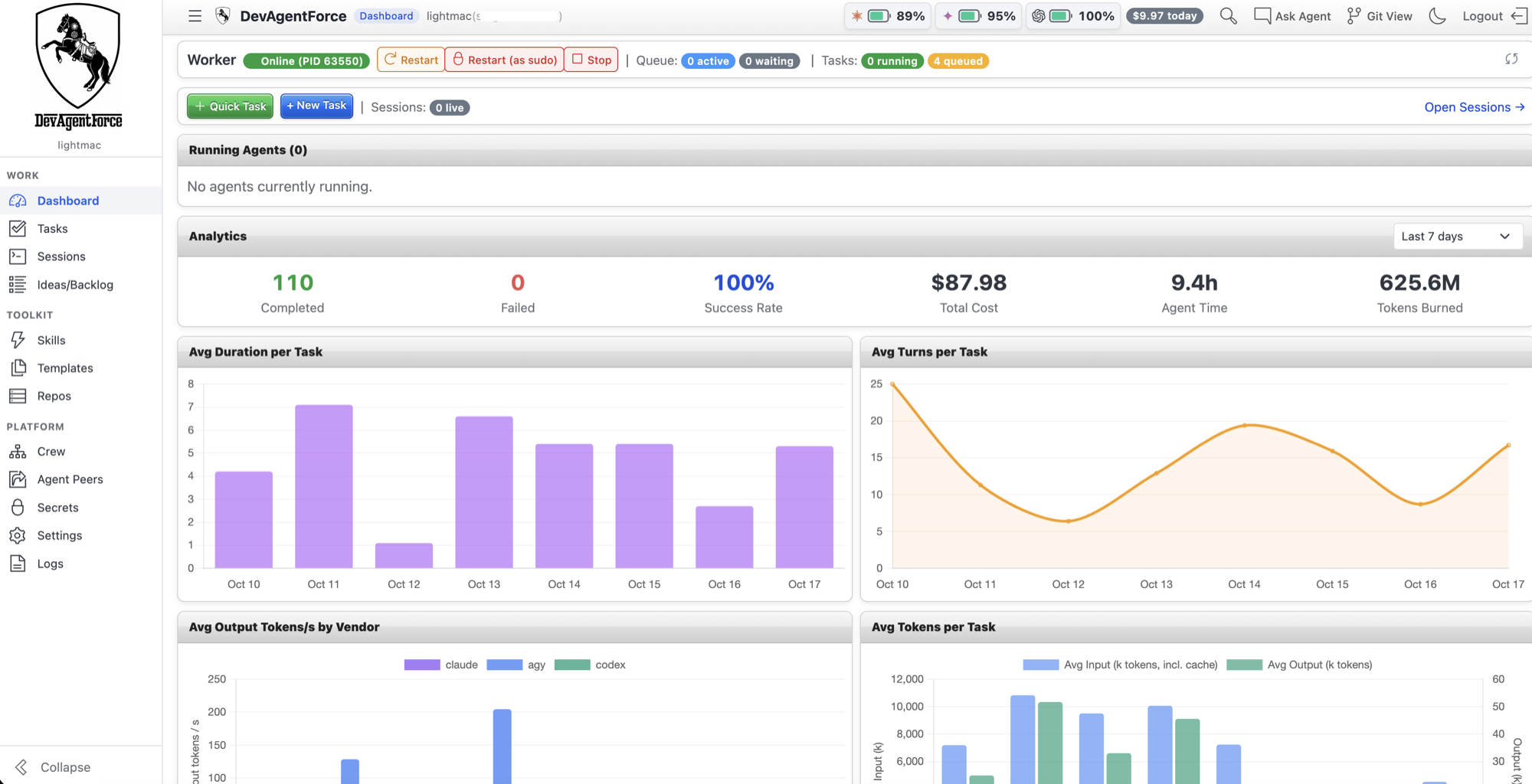
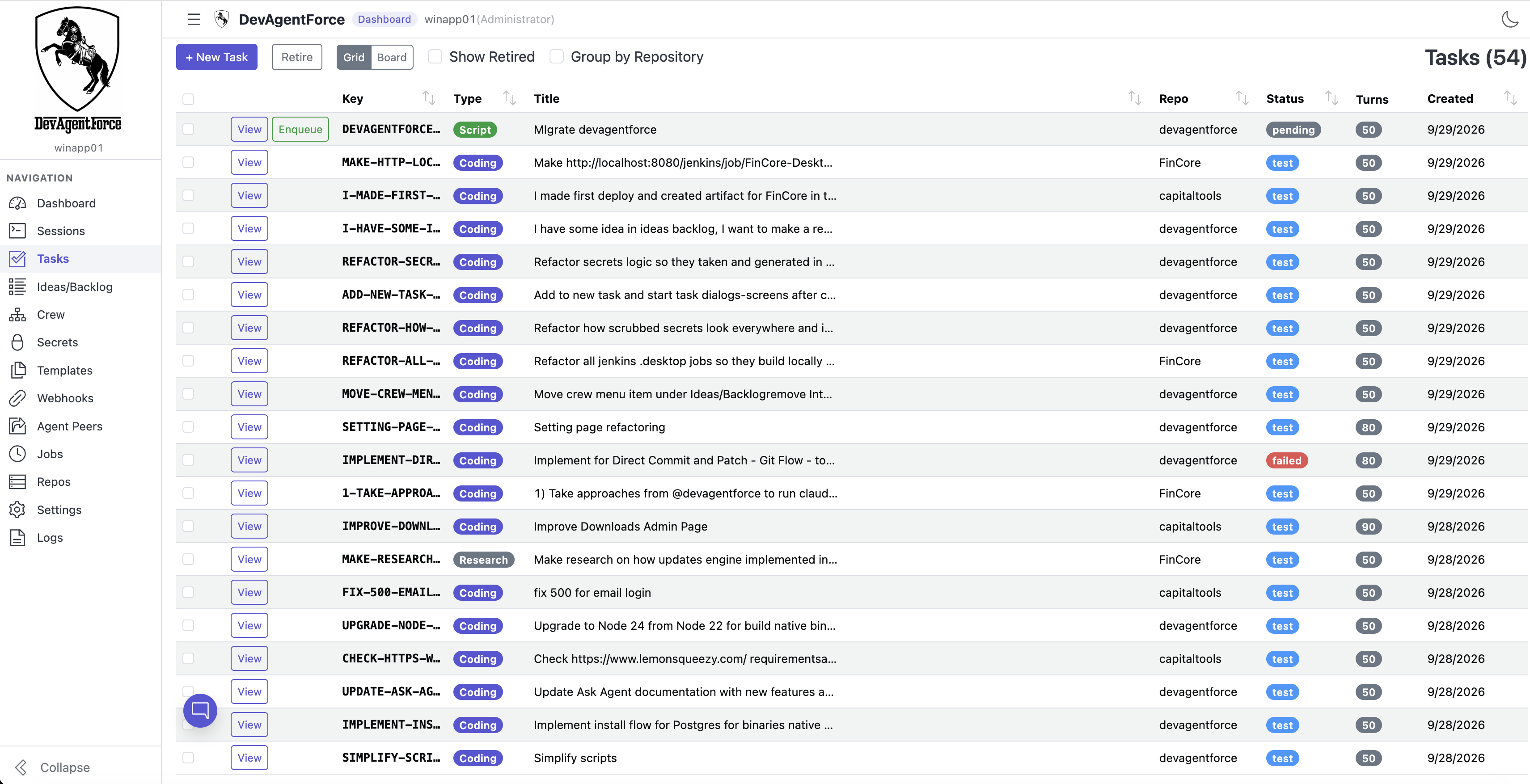
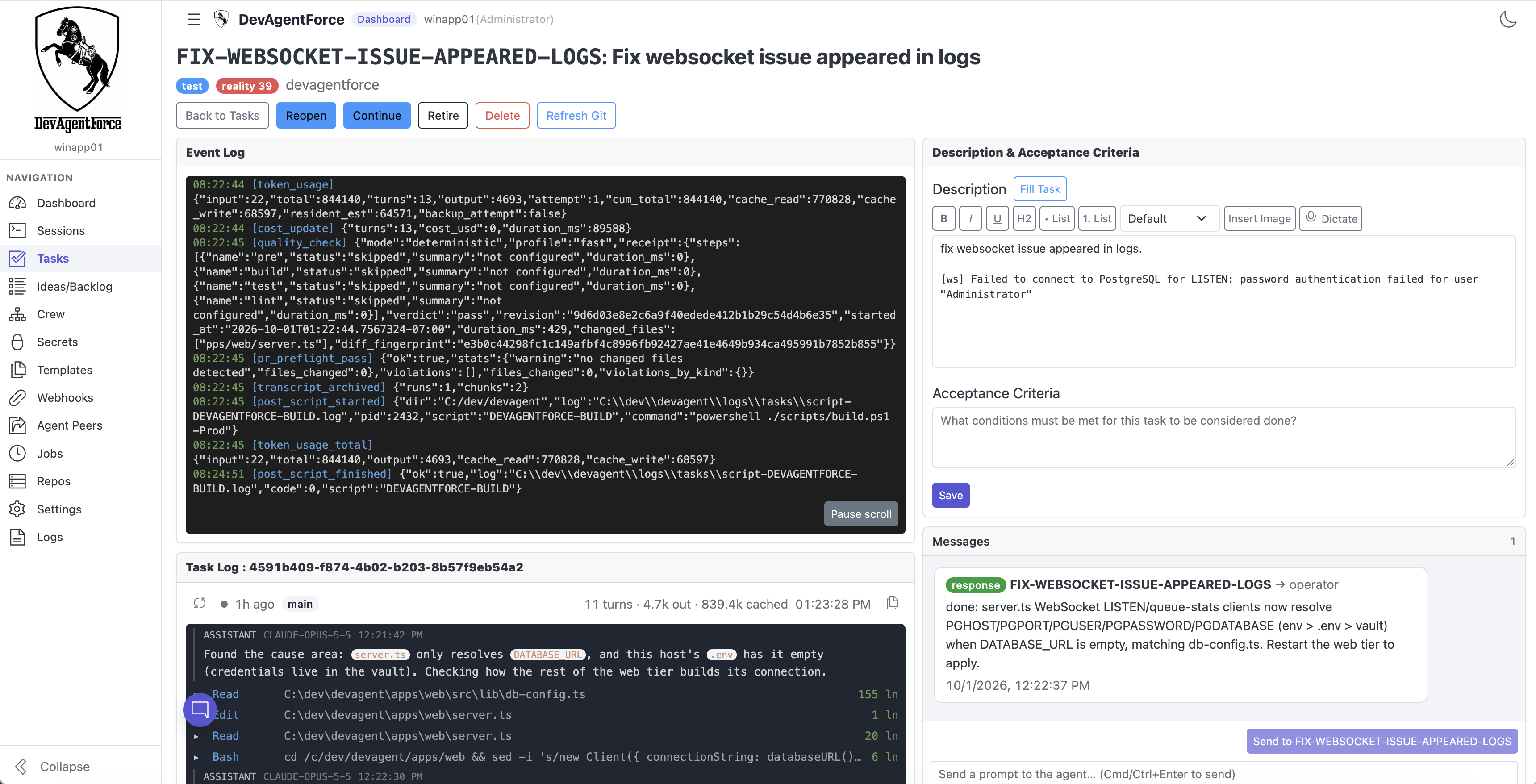
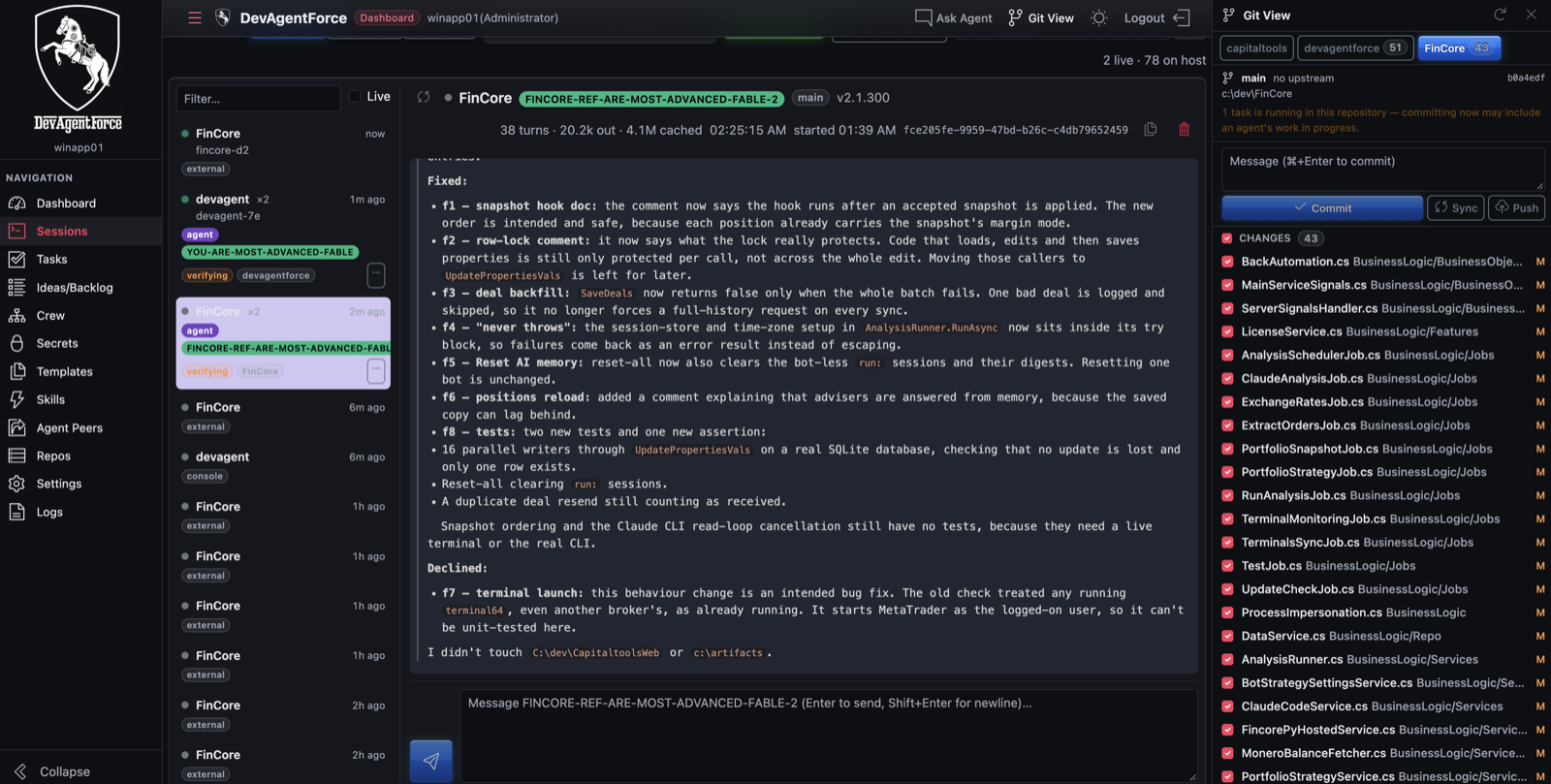
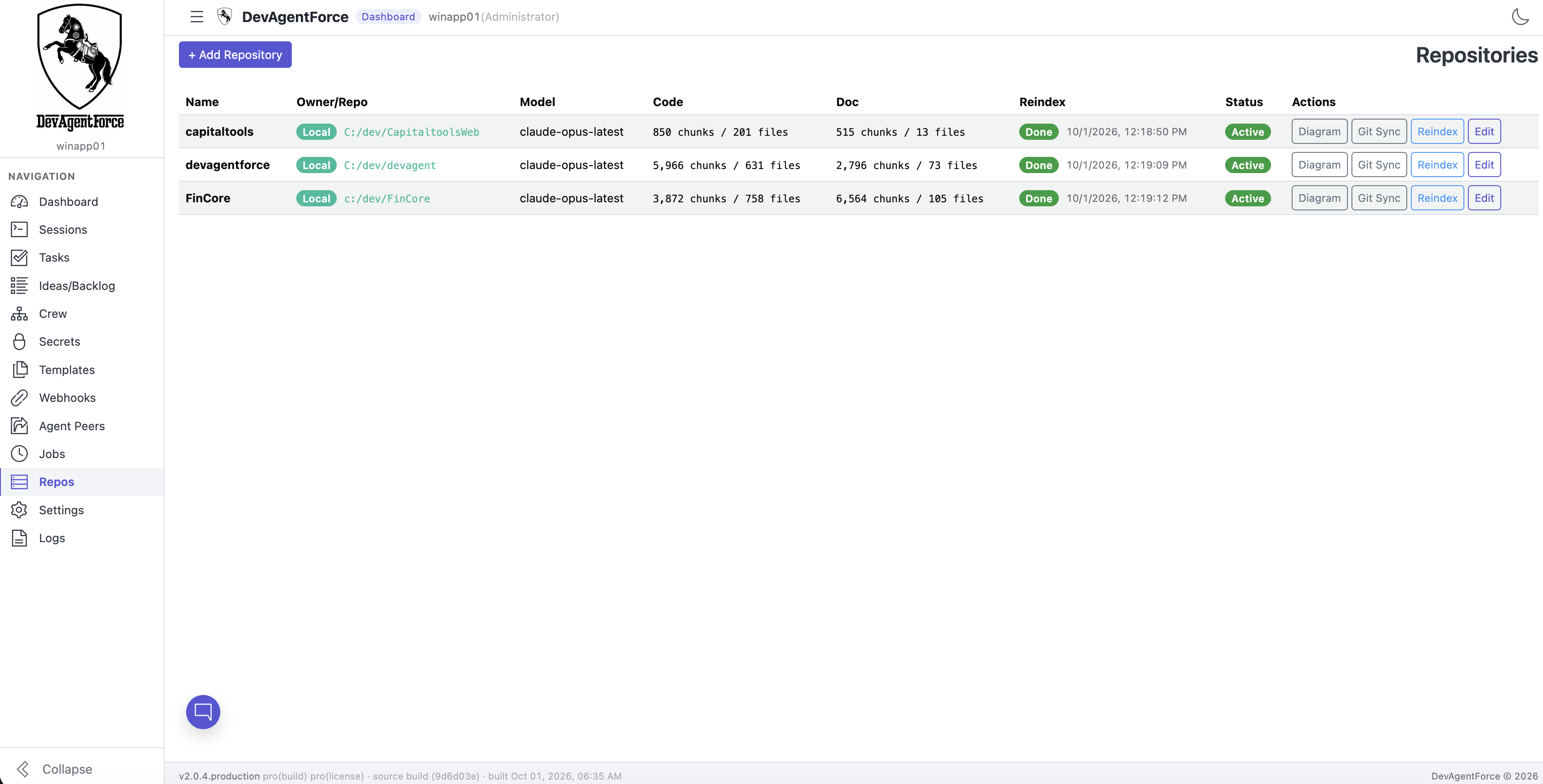
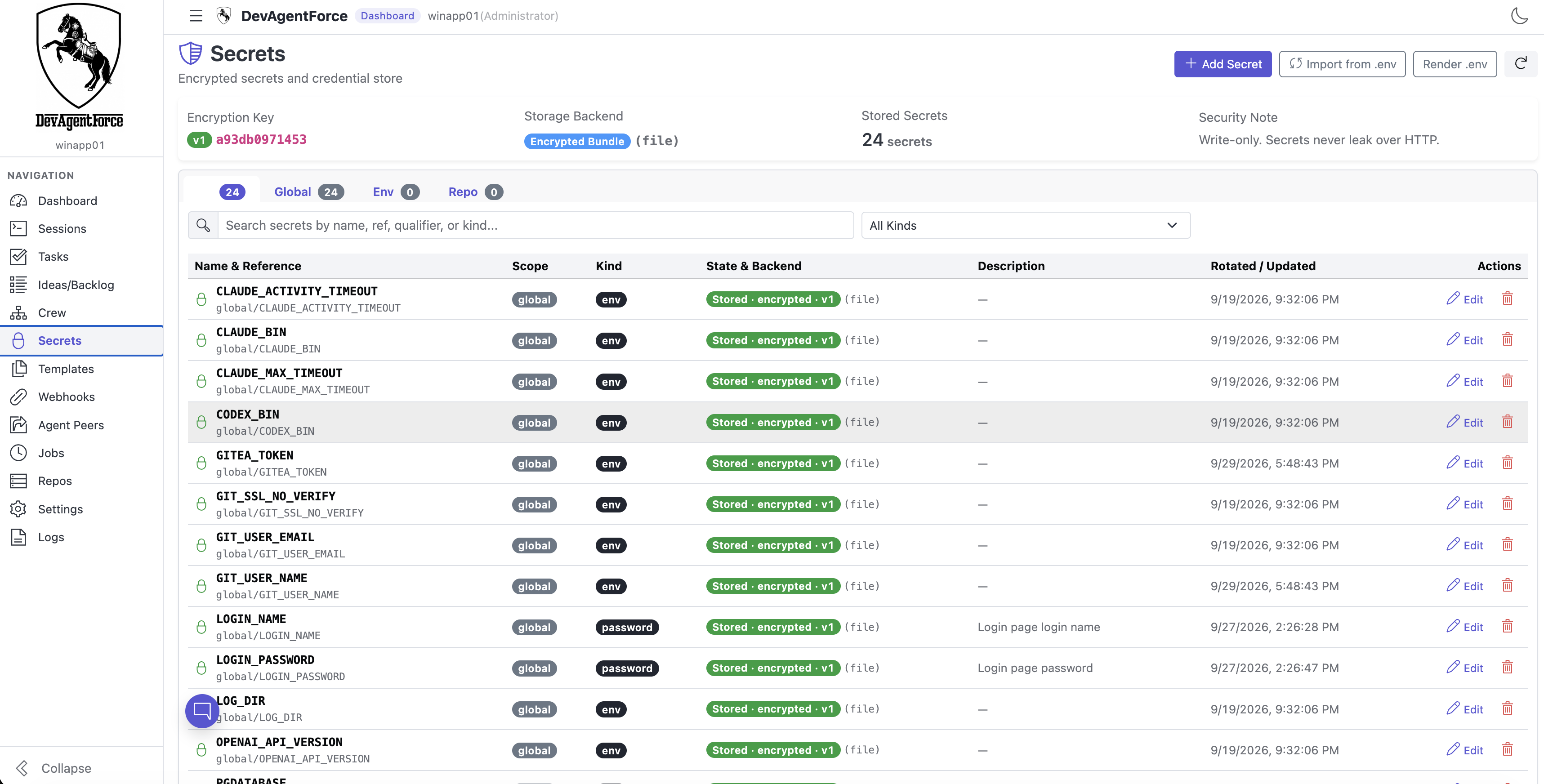
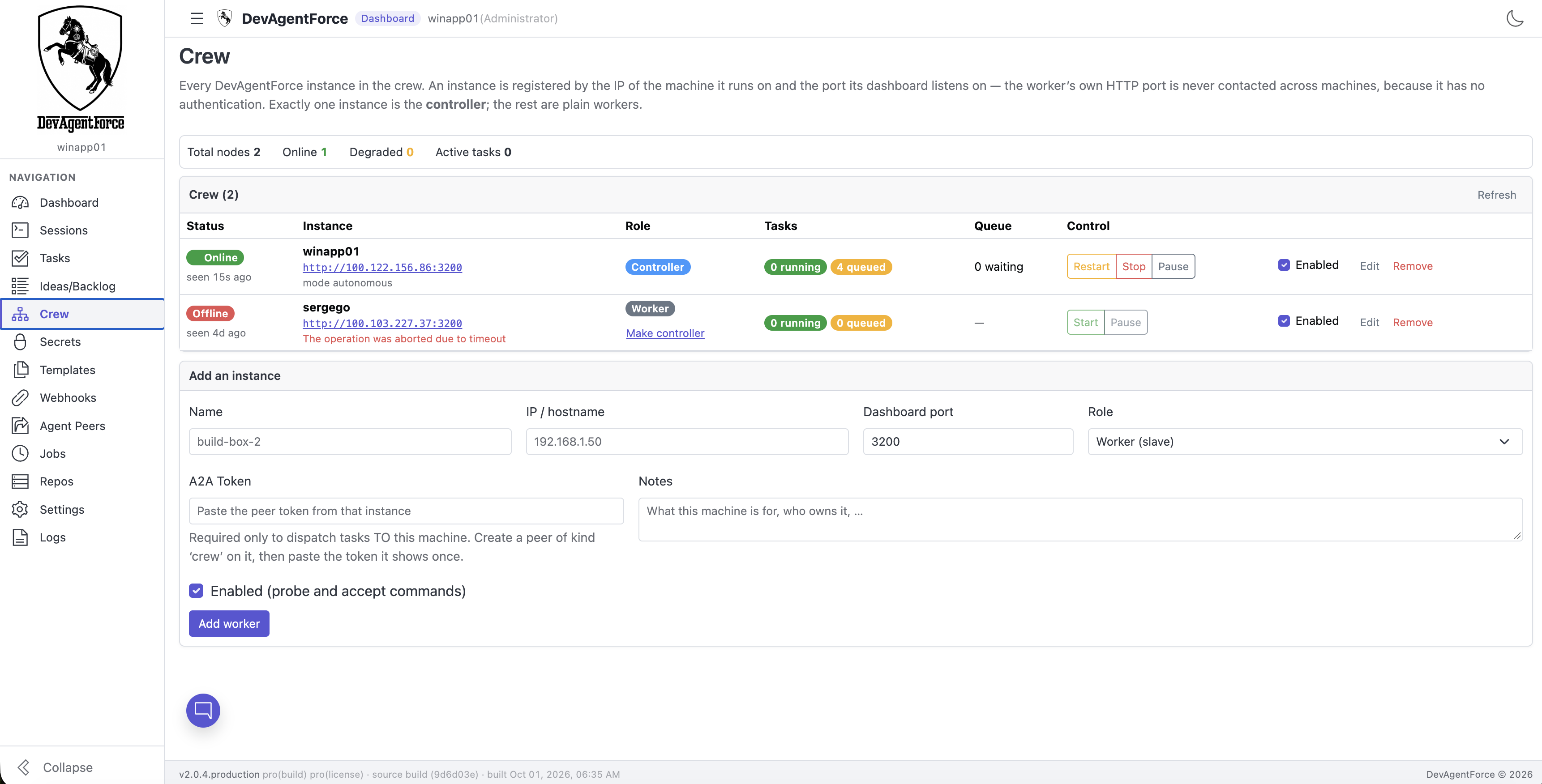
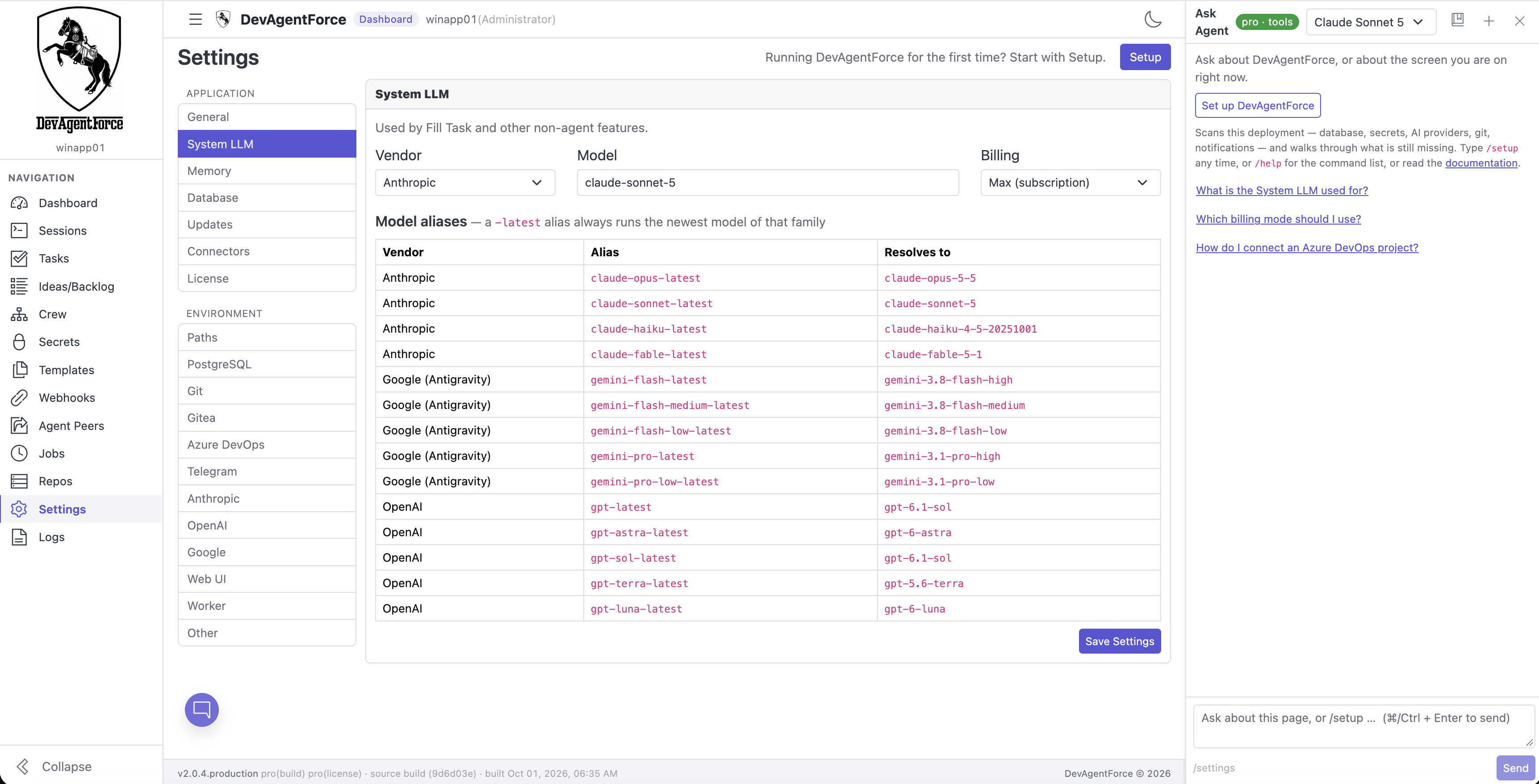
Worker, queue and vendor usage at a glance. Success rate, cost and per-vendor charts below.
Task in. Pull request out.
Take the wheel, or let it drive. Either way, you get work that already passes.
File a task
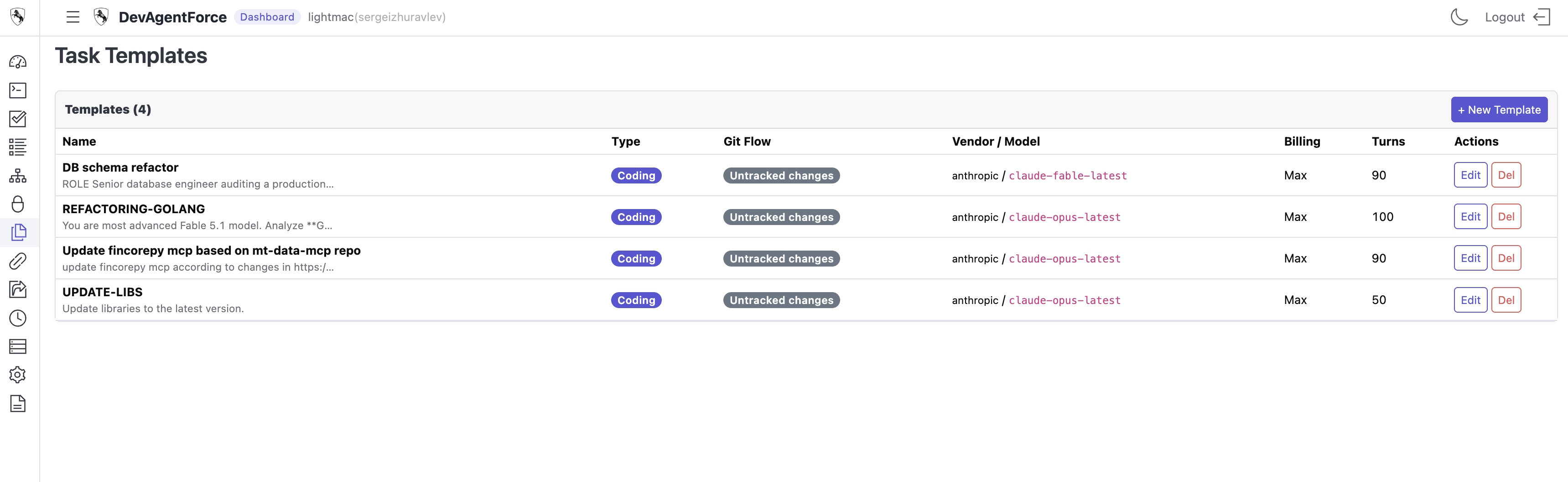
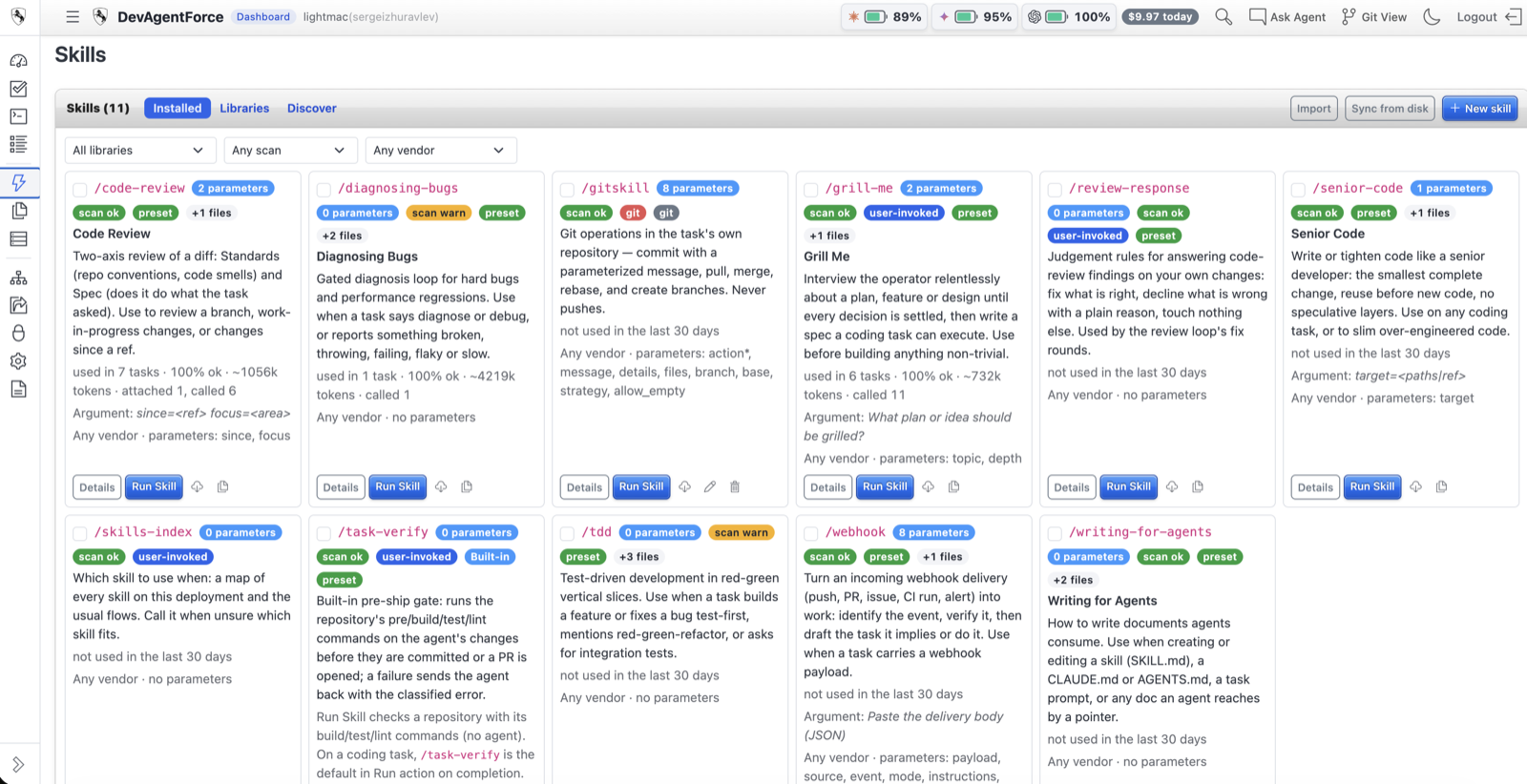
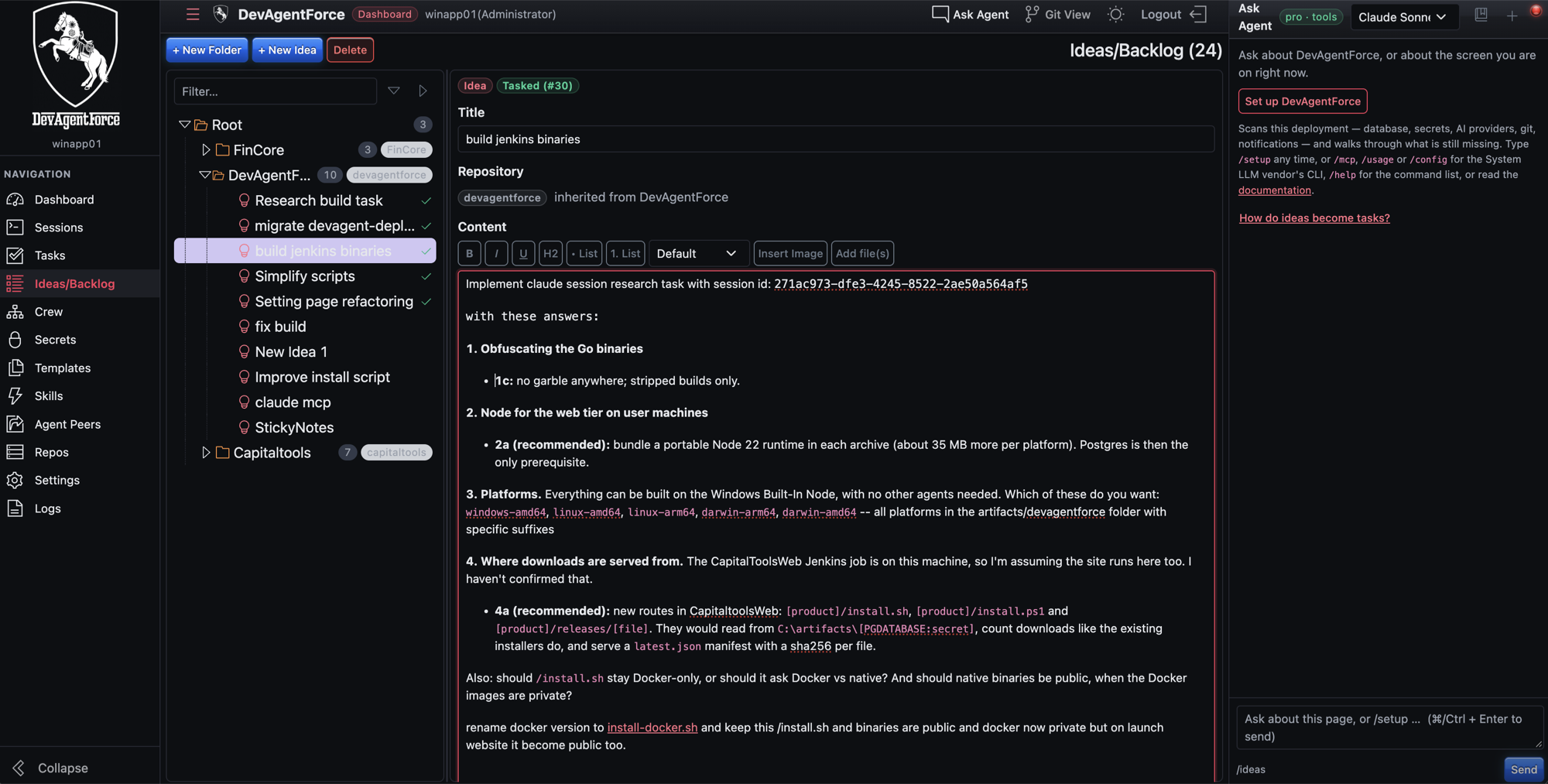
Type it, choose a skill from the Skills page, pick a template, or split it from an idea. Or create it from Claude Code over MCP, a cron schedule, or another agent.
Agents get to work
Each agent gets the repo's memory, scoped secrets and its own worktree. Claude, Gemini or Codex — live in your Sessions cockpit, ready for you to steer.
Your gates decide
Your build, tests and lint run. Preflight checks for leaked secrets and scope creep. Nothing is taken on trust.
A verified PR appears
On Gitea, GitHub or Azure DevOps — or as a patch, or a local commit. You review. You merge. Never us.
And when it fails. It's diagnosed against 20+ error rules, retried with a precise hint, and escalated if it keeps failing. Out of retries? Another vendor takes over mid-task.
Features
DevAgentForce is a self-hosted autonomous software engineering harness that executes multi-agent coding pipelines on local hardware without cloud container hosting or token resale markups.
Your repo has a memory. Now your CLI does, too.
Every task leaves something behind. Facts. Decisions. What worked, and what didn't. Pro's MCP server hands all of it — and the task queue — to Claude Code, Codex or Antigravity. What your CLI sees is exactly what the dashboard shows.
It knows where it is.
Call wake_digest and an agent is briefed in a few hundred tokens. task_scope tells it exactly what it may read. And what it may write.
It remembers what you learned.
One search over notes, facts, decisions — and, when you ask, every past attempt word for word. Code and docs across every repo. Save a lesson once. It's there next time.
It drives the whole pipeline.
Create, run, watch and cancel tasks without leaving your terminal. Read a diff. Tail a log. Run it locally and it knows your repo. Connect remotely and it sees only what you granted.
$ claude mcp add devagentforce -- devagentforce-mcp
- › wake_digestrepo: api-gateway · 41 tasks · 12 facts · 7 decisions
- › memory_search q="rate limit retry" kind=transcript2 verbatim attempts — #212 failed on flaky test, #219 merged
- › code_search q="token bucket"internal/ratelimit/bucket.go:18 · 3 more
- › memory_search q="grpc streaming"no rowsretrieval_status: no_match
- › memory_save kind=decisionsaved to api-gateway · searchable now
- › task_create "Back off on 429 with jitter"task #224 queued · worktree cut · claude / max
Saved now. Searchable now. No queue. No schema. What an agent learns mid-task, the next recall finds. And it's labelled for what it is — something a past run believed. Check it against the code.
Nothing found means nothing found. Every read reports its status. no_match means the memory is empty. unavailable means the search couldn't run. A miss is never padded with something unrelated.
And it works the other way, too.
Your agents can reach out — to your docs, your Jira, your trading desk. But only to the servers you chose, and only with the tools you allowed. Claude and Codex runs. No surprises.
Plug it in.
Pick a preset — Context7, Atlassian, FinCore — or bring any stdio or HTTP server. Already have a .mcp.json? Import it. Secrets go straight to the vault.
See every tool.
One click discovers the server and sorts each tool into read or write. Write tools stay off until you switch them on.
Only what you attached.
Each run gets the servers on its repo and nothing else. Host and repo configs are shut out. Automated lanes get read-only tools. Always.
Every call, on the record.
Server, tool, class, result size and a redacted preview of the input. Right there in the task, under External tools.
The whole pipeline is free. Pro is the judgement.
Free gives you all the horsepower — the full task loop, every agent and the cloud stack. Pro adds the judgement: what's worth running, what happened, and when to stop before it costs you.
| Feature | Free | Pro |
|---|---|---|
| The pipeline | ||
| Multi-vendor agent backends (Claude, Gemini, Codex) | ||
| Auto-failover between vendors + rate-limit backoff | ||
| Git worktree isolation; pull requests on Gitea, GitHub & Azure DevOps | ||
| Local git repos — no remote, no tokens | ||
| Your choice of git flow — direct commit, patch or branch + pull request | ||
| Full build / test / lint verifier | ||
| Script tasks + Scripts menu — run by hand, no agent, no LLM spend | ||
| Per-vendor parallelism on one repository | ||
| Multi-language repo map + architecture diagram | ||
| Cron schedules, templates, Ideas/Backlog tree | ||
| Skills procedure library & dedicated Skills page | ||
| Dashboard, pipeline board, live log viewer | ||
| Interface in 9 languages — English, Español, Português (Brasil), Русский, Deutsch, 日本語, 한국어, 简体中文, العربية | ||
| Bug Reports on Logs page (registered & licensed seats) | ||
| Cloud VM stack — one VM on AWS, GCP or Azure behind TLS | ||
| Outcome forecast | Repo baseline | |
| Judgement & control | ||
| Reality gate — 0–100 evidence scoring | ||
| Strict abstain gate — low-evidence tasks never run | ||
| Plan approval + multi-round review loop | ||
| Per-task budget circuit breaker | ||
| PR preflight — secret scan (11 rules), allow-list, author check | ||
| Expand / Decompose — an idea becomes atomic, resolvability-scored steps | ||
| Security & Secrets Vault | ||
| Encrypted Secrets Vault & Vault Editor | ||
| Runtime secret redaction across prompts, logs & messages | ||
| Vendor-identity masking — host paths & product name never sent | ||
| Each agent gets only the secrets its task needs | ||
| Sessions, memory & MCP | ||
| Live multi-agent Sessions observatory (Claude, Gemini, Codex) | ||
| In-flight steering (Approve plan, answer questions, operator prompts) | ||
| Session search across every provider's transcripts | ||
| Per-repo memory — agents learn from past tasks | ||
| Semantic code & doc search across every repo — no file-count ceiling | ||
| Ask Agent | Product Q&A | |
| MCP server — the whole KB and the task lane from any coding CLI (local or remote) | ||
| External MCP servers — attach per repo, every tool classified, every call audited | ||
| Integrations | ||
| A2A 1.0 gateway — other agents delegate to DevAgentForce | ||
| Azure DevOps work-item import — WIQL-filtered, into tasks or backlog | ||
| Telegram notifications | Basic alerts | |
Your keys never leave home.
Left alone, coding agents paste keys into prompts, logs and git history. DevAgentForce seals every secret, scrubs every output and checks every diff.
Encrypted Secrets Vault
No more plaintext .env files. Every key and every password, locked away. You can see that a secret exists. Nobody can read it back.
Automatic Real-Time Redaction
Your secrets are wiped from prompts, tool calls, output and agent messages the instant they appear. Automatically.
Least-Privilege Scoped Injection
An agent gets only the keys its project and its task allow. Nothing more. Logs show a name, never the value.
Vendor-Identity Masking
Before a prompt leaves your machine, the details that identify it are masked. Your AI vendor learns nothing about where the work was done.
Checked Before Every Push
Pro inspects every change before it leaves. A stray API key, a password, a private key file — caught and stopped. Before anyone else sees it.
100% Self-Hosted, Zero Cloud Proxy
Your hardware, your cloud, your homelab. No Capital Tools server in the middle. Your work goes straight from you to your AI vendor.
Safe .env Migration & Key Rotation
One click moves your secrets into the vault and erases the old files. Change your keys in seconds. Nothing stops.
Defense in depth. Licences that work offline. Every task in its own sandbox. A locked vault and live redaction. Your code and your credentials stay yours.
One command. No account.
Paste it into a terminal. It downloads, verifies, starts and opens the dashboard. The free edition needs no sign-up and no compile, and runs on API keys. Want full Pro horsepower first? Generate a 14-day trial key — one per account, one machine, including 7 days of Max subscription mode on your own Claude/ChatGPT/Gemini subscription. Max mode is part of every paid licence.
curl -fsSL https://capitaltools.app/install.sh | bashDownloads the binaries for your OS, installs into ~/.devagentforce, registers a user service and opens the dashboard.
Latest build 2.0.207-b207-6f0c0fa · built Oct 31, 2026, 20:42 UTC · macOS Apple silicon, Linux x64
What you need
- No database to prepare — a private PostgreSQL + pgvector is set up for you (or bring your own with --database-url); Node is bundled
- macOS (Apple silicon), Linux x64 or Windows x64 — no admin rights
- At least one agent key: Claude, Antigravity/Gemini or Codex
- A Gitea, GitHub or Azure DevOps token — or just use a local clone
- A Mac mini or MiniPC is plenty. No GPU, no cloud account
Busy ports? It picks free ones, and it's safe to re-run. Update with --update or Settings → Updates — your data stays, and a bad build rolls back on its own.
Buying Pro? Don't re-install. Add --key to the same command, and the deployment you have is activated. No downtime.
Prefer a native app?
DevAgentForce Desktop — the full product in a native app for macOS (Apple Silicon), Windows and Linux: database, worker and dashboard included, on-device dictation, updates itself. Uses the same licence key as the console install.
DevAgentForce Desktop 2.0.205 · 80 MB
Built
Download for WindowsInstaller (.exe)
DevAgentForce Desktop 2.0.207 · 93 MB
Built
Download for macOSDisk image (.dmg)
Pricing
Simple, transparent pricing. No hidden fees.
Bring your own key. We never resell AI. You pay us for the harness, and your AI vendor for the horsepower. Memory search runs on your machine, free. And the harness keeps getting better — every paying customer can request a feature, and the best ones ship in the next release.
Frequently Asked Questions
What does DevAgentForce actually do?
You describe a task. DevAgentForce gives an agent its own git worktree and only the secrets it needs, checks the result with your build, tests and lint, and opens a pull request. Want to drive? Watch and steer every agent live from the Sessions cockpit.
How does DevAgentForce prevent API keys, passwords, and secrets from leaking into LLMs?
Five layers of protection. One: a locked vault replaces plaintext .env files, and it never hands a secret back. Two: your secrets are wiped from prompts, logs and agent messages the moment they appear. Three: each agent gets only the secrets its project and task allow. Four: every change is checked for keys, passwords and private files before it reaches Gitea, GitHub, Azure DevOps or anywhere else. Five: the details that identify your machine are masked, so your AI vendor learns nothing about it.
Can I run and steer multiple AI agents simultaneously on the same project?
Yes. The Pro Sessions cockpit shows every Claude Code, Antigravity (Gemini) and Codex session on your host in one place. Watch them in parallel, read live transcripts and token counts, approve plans, answer questions, and steer mid-flight — without switching windows.
Which AI agents and models are supported?
Three vendors. Claude via Claude Code — Opus 5 by default, plus Sonnet 5, the Fable 5 line and the 4.x models. Gemini via the Antigravity CLI — 3.8 Flash by default, plus 3.7 and 3.6 Flash and 3.1 Pro. And OpenAI Codex. Pick vendor and model per task or template. Bring your own key or subscription — we never resell inference.
Where does it run?
Natively on Linux, macOS or Windows — a Mac mini is enough. It runs on PostgreSQL and opens pull requests on Gitea, GitHub or Azure DevOps — or works with plain local clones that are never pushed.
Can Claude Code or Codex use DevAgentForce's memory directly?
Yes. Pro ships an MCP server for Claude Code, Codex and Antigravity. Run it locally and it knows your repo from the folder you started in. Connect from another machine and it sees only the repos you've granted. Agents can load a wake-up digest, recall notes, facts, decisions and transcripts, search code and docs across every repo, write memories back, and create, run, watch or cancel tasks — through the same worker the dashboard uses. A monorepo of thousands of files indexes like any other.
Can agents use my other tools — docs, tickets, data?
Yes, in every edition. Add a tool once in Settings, and you'll see each action it offers before anything can use it. Looking things up is allowed; anything that changes or deletes stays off until you turn it on. Passwords stay in your encrypted vault, never in a file the agent can read. And if a tool changes what it does, it's paused and you're shown exactly what changed.
Which git hosts does it support?
Four: Gitea, GitHub (including Enterprise Server), Azure DevOps (cloud and on-prem Server), and Local Git — any folder on the worker host. The host is detected from the clone URL, and tokens are never shared across providers. All four git flows — untracked, direct commit, patch, and branch + PR — run everywhere. In a local folder, direct commit lands on your checked-out branch with no push; branch pushes and opens a PR only if the folder has an origin that accepts it. So GitLab, Bitbucket and a NAS repo work too. DevAgentForce never touches a dirty tree or a detached HEAD.
Which interface languages does it support?
Nine: English, Español, Português (Brasil), Русский, Deutsch, 日本語, 한국어, 简体中文 and العربية (الإمارات), with a full right-to-left layout for Arabic. By default the dashboard follows your browser's language; pick one in Settings to pin it. The desktop app's tray menu uses the language you pick — and can switch it too.
Can it run scripts without spending an agent turn?
Yes. Queue a script as a task and an agent runs it and reports back. Or run it straight from the Scripts menu — no queue, no agent, no LLM spend — with output and exit code streamed live. Output is capped and redacted through the vault, and the run survives a restart.
What's the difference between Free and Pro?
Free includes the core task pipeline, all multi-vendor agent backends, error-aware retries, the repo map, the dashboard, the pipeline board, the dedicated Skills page and procedure library, Ask Agent chat, templates, the Ideas tree, cron schedules, the Scripts menu, all four git flows on every host, pull requests on Gitea, GitHub and Azure DevOps, per-vendor parallelism on one repository, the dashboard sign-in, the cloud VM stack, external MCP servers attached per repository with every tool classified and every call audited, and the core Encrypted Secrets Vault. Pro adds the live Sessions observatory with in-flight steering and session search, agent secret injection governance, the reality gate & abstain savings, the memory knowledge base with honest retrieval and local embeddings, semantic code and doc search across every repo, the MCP server, Expand / Decompose in the Ideas tree, interactive plan approval, the budget circuit breaker, PR preflight secret-scan, patch export, the A2A gateway, Azure DevOps work-item import, rich Telegram control, and in-app Bug Reports from the Logs page for registered and licensed users.
Is there a free trial?
Yes. DevAgentForce runs the free edition out of the box — no sign-up. To try Pro, sign in to your account and generate a free trial key: 14 days of the paid feature set from the moment you activate it, no credit card. One trial key per account, and it activates on one machine only — on any other machine DevAgentForce keeps running as free. When it ends, the Pro features switch off until you activate a licence. Nothing is deleted.
Can I switch between monthly and yearly billing?
Yes, from your account page. You keep the same licence key and activations, and the unused part of your month is prorated — you pay only the difference.
Do I need a Claude Max subscription?
No. Every vendor works two ways: a metered API key, or the flat-rate subscription you already have — Claude Max, ChatGPT Plus via Codex, or Google AI Pro/Ultra via Antigravity. In subscription mode, DevAgentForce removes the API key so the CLI uses your login. Subscription (Max) mode is part of every paid licence and the first 7 days of a trial; the free edition runs on API keys only.
What does it cost to run?
The licence, plus what your AI vendor charges you. That's it. No metering, no per-seat fee, and memory search runs on your own machine — it costs nothing.
Is DevAgentForce still evolving?
Constantly. AI moves fast, and so do we — new models, new agents and new features arrive in regular releases. And you get a say. Registered customers with a paid licence can send a feature request from their account page. We read every one. The best ideas get built and ship to everyone in the next update. Same licence. No extra charge.
How do I report an issue or bug?
Directly from your deployment. Registered and licensed users can submit Bug Reports right from the Logs page. DevAgentForce packages your diagnostic logs and attaches them automatically in one click. No copy-pasting terminal output. No friction. Fast, direct resolution.
What is the Skills feature and how does the Skills page work?
Skills turn your team's best workflows into reusable recipes. The dedicated Skills page gives you a clean visual library of every procedure, complete with parameters and documentation. Run a skill by name, trigger it with one click, or let the agent pick the right one automatically. Create custom skills in Markdown or convert any completed task into a permanent skill in seconds.
What if an agent breaks my repository?
On a remote-backed repo it can't touch your working tree: every task runs in an isolated worktree, and nothing lands without a pull request you review. Pro's preflight also blocks secrets, oversized files and out-of-scope changes. Local Git is your folder, edited in place — so the flow you pick is your safety setting: untracked leaves changes unstaged, patch puts them on a throwaway branch, and direct commit won't start on a dirty tree or a detached HEAD.
Can it run without an internet connection?
Yes. Generate an offline activation token on your account page and paste it into Settings → License — or set DEVAGENTFORCE_LICENSE_TOKEN before the first start. DevAgentForce checks it on its own and never calls home. It stays valid until the subscription period ends and uses no seat. Memory search runs locally too — only your AI vendor needs the network.
Does my code leave my network?
Only to the AI vendor you chose, under your own account — and less than you'd expect: host paths and the orchestrator's name are masked first. Capital Tools never sees your code, repos or prompts; the licence check exchanges a key and a deployment ID, nothing else. Memory search runs on your machine, so no one else sees anything either.
How do I upgrade, and can I get a refund?
Re-run the installer with `--update`, or use Settings → Updates — your data stays, and a bad build rolls back on its own. Updating twice is always safe. Refunds follow our standard policy — see the refund page in the footer.
More answers — installation, scripts and troubleshooting — in the DevAgentForce documentation.
Built by a software engineer with 20+ years of experience
Capital Tools is built and supported by Sergei Zhuravlev — Senior Full-Stack & AI Engineer, MSc in Software Engineering. Twenty years of shipping software that works in production, for banks, global retail and enterprise: multi-tenant systems with real users, real budgets and real audit trails. The same engineer writes, tests and supports every product here, so when you write to support, you reach the person who built it.
Get DevAgentForce updates
New releases, agent integrations and launch offers — straight from the engineer who builds it.
Ready to get started with DevAgentForce?
Run the free edition tonight. Try Pro with a 14-day trial key from your account, and buy it once it has opened a pull request you would have merged anyway.